


Windows SideShow enables users to use PCs even when they are turned off.
SideShow allows users to remotely control PCs and servers. It allows PCs to create interactive output on devices other than monitors so users can view useful data stored on their PCs when they are away from it. It enables users to interact with their PCs in scenarios that would previously have been very cumbersome, and allows for the creation of secondary display and interaction devices that would previously have been cost-prohibitive.
The basic idea of Windows SideShow is straightforward: provide a way to interact with a PC when it is off, or when the user does not have access to keyboard, mouse, and monitor for some reason. Imagine a scenario where you have your notebook in a bag and want to check whether you received e-mail. You need to get your laptop out of the bag, open up the lid, wait for the device to boot, launch your e-mail application, and wait for it to download mail from the mail server. It’s a cumbersome and time-consuming task, just to check for new e-mail.
SideShow shows your information even when the PC is turned off.
With SideShow, the scenario is drastically different: Pull the computer out of the bag and glance at a display built into the outside of the lid of the notebook (see Figure 1) to see how many new e-mails you have received and read them right there.
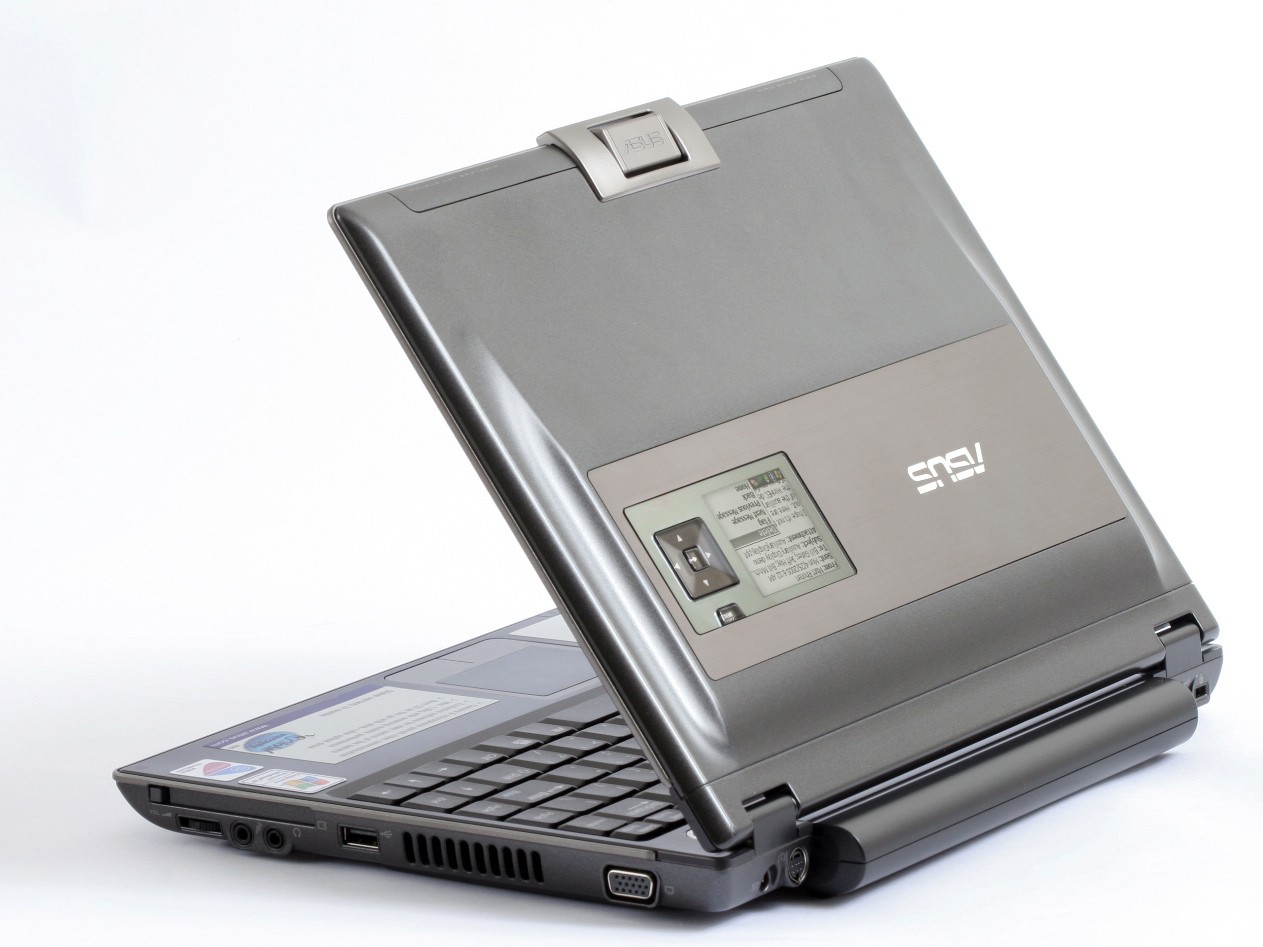
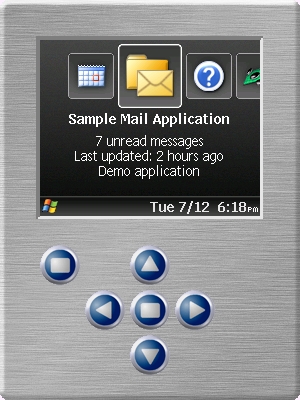
This auxiliary display (also known as aux display) is really a tiny computer that is always on, even if the main computer is turned off. (And don’t worry: It only consumes a minute amount of precious battery power). It can choose to periodically power up the computer to perform tasks such as mail synchronization and then shut it down again. These devices can also act completely autonomously. For instance, the device may decide it is time to alert you about a meeting it has known about for a while. On the opposite end of the spectrum, the device may be used as a kind of remote control for applications on the main PC. Using SideShow, users are able to control Windows Media Player and play songs without having to open the laptop lid.
SideShow is not strictly a mobile technology, although it certainly plays an important role in mobility. It is also very useful in other scenarios, such as the ability for a system administrator to check the status of a server without ever having to hook up a monitor and a keyboard. Envision a set of rack-mounted servers that have a SideShow display built in so you can quickly check the status of all servers in a rack and even perform simple tasks, such as resetting a service or rebooting a computer.
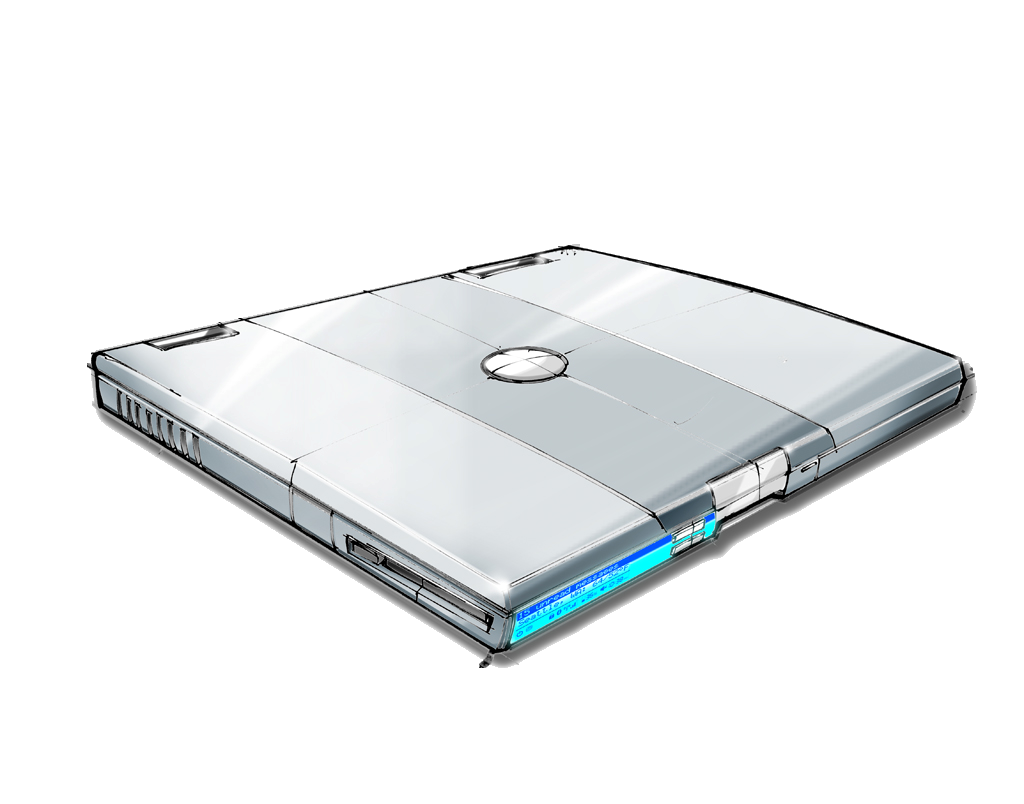
Similarly, aux displays can be built into portable computers on places other than the lid. Currently, computers have LEDs to indicate simple status information, such as whether the device runs on a battery or is plugged into an outlet. Figure 2 shows concept art for such as configuration.
Not all aux displays are built into the hardware. They also come as separate, hand-held devices that communicate with the PC through technologies such as Bluetooth or standard wireless connections. Such devices could be special- purpose-built devices, or more common devices, such as cell phones. This way, system administrators could control and monitor servers using that hand-held device (or cell phone), rather than having to walk up to each server.
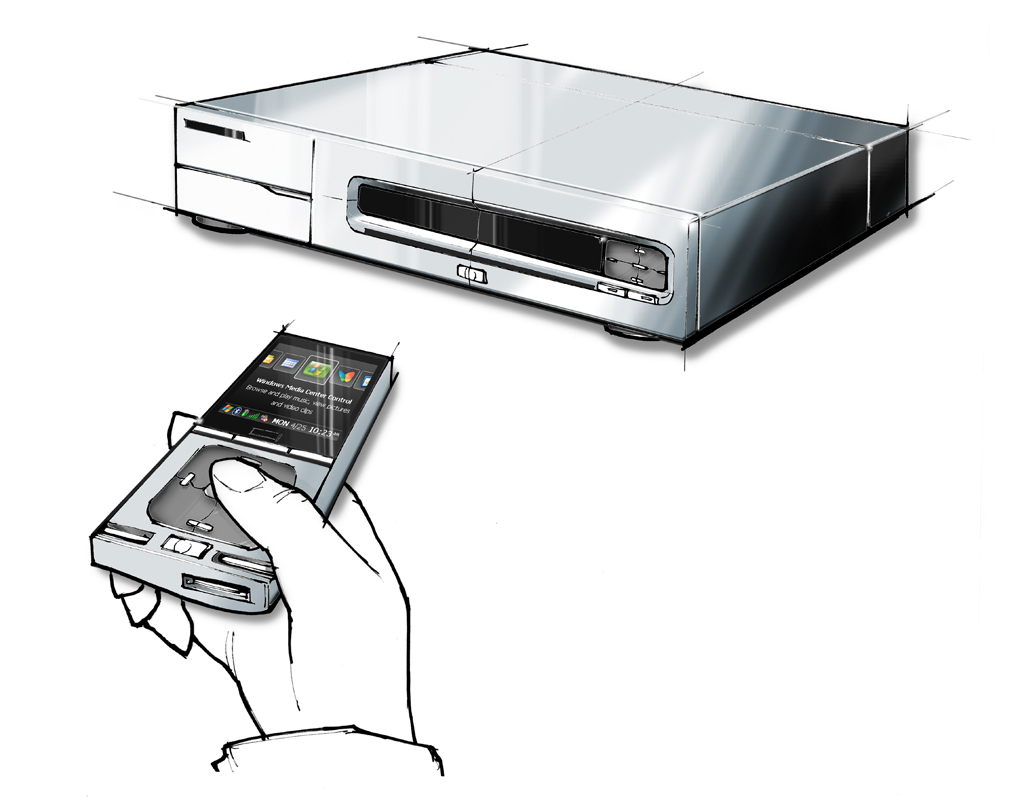
In a more consumer oriented scenario, you could use a SideShow-based remote control device (Figure 3) to control a Windows Media Center PC, without ever having to look at a conventional display device and without getting anywhere near the PC. Similarly, SideShow devices could be used as interactive picture frames in the living room, or recipe viewers in the kitchen. The low cost of SideShow devices makes such scenarios feasible, and limits are only set by hardware vendor’s imaginations.
The Technology behind SideShow
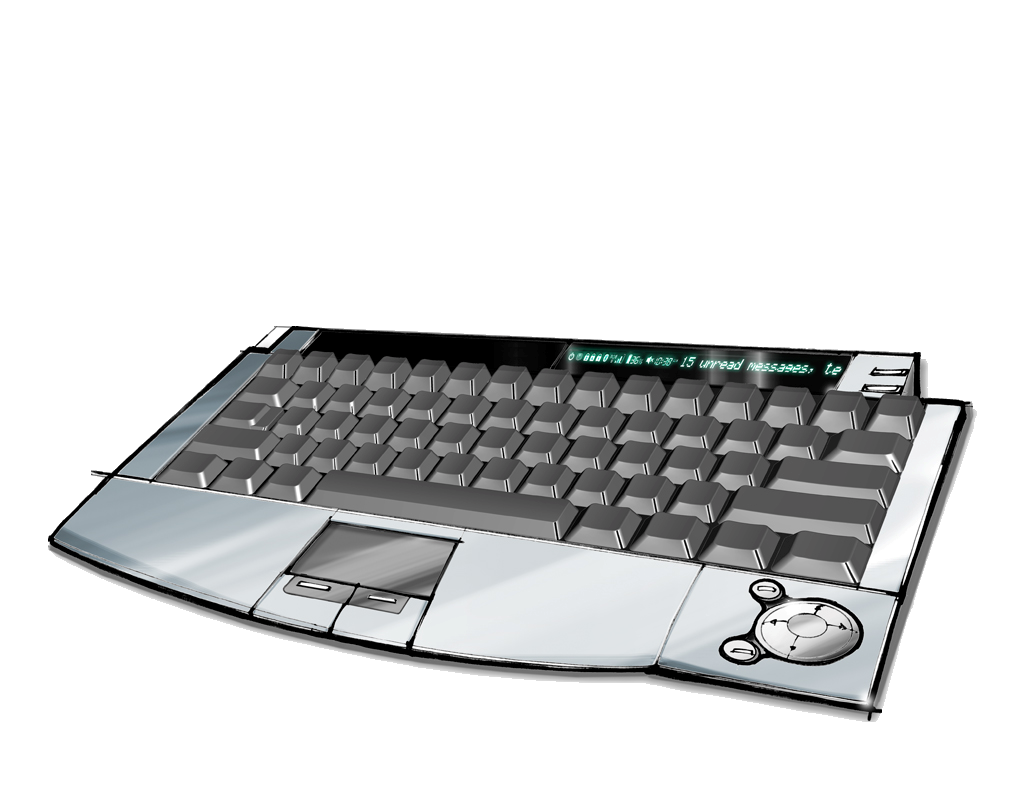
SideShow supports a very wide variety of devices that can be used as aux displays. The current expectation is that most third-party vendors will use devices based on the SPOT operating system (the same OS Microsoft uses in the MSN Watches), which run a very small version of the CLR (Common Language Runtime) known as Tiny CLR. However, aux displays can also be based on even less expensive devices that are less powerful, with very primitive processing and display capabilities. (Such devices could be built into keyboards, for instance, as shown in Figure 4.) On the other end of the spectrum, SideShow devices could be based on Windows CE, or, in the more distant future, even more sophisticated operating systems.
For developers, the actual device and its exact hardware configuration are of secondary importance. In most cases, developers will simply send information to the device in a format known as Simple Content Format or SCF. This format is based on XML and is somewhat similar to a simple version of HTML. In all but the most unusual scenarios, developers will not have to worry about differences in device capabilities, as each device will know how to utilize the provided content in the most applicable way. Only in cases with very unusual capabilities (such as extremely limited or extremely sophisticated displays) may the developer want to create more or less verbose content that gets sent to the device.
Applications can send information to SideShow in an HTML-like content format known as the Simple Content Format (SCF).
Developers can communicate with SideShow devices using the SideShow SDK, which is part of the Windows Vista SDK. (SideShow is a Vista-exclusive technology). The SDK provides all components needed to interact with devices, as well as device emulators (Figure 5). Currently, the SideShow SDK is purely COM-based and thus targets C++ and pre-.NET developers. However, it is relatively easy to interop with the COM-based SDK from managed languages such as C# and Visual Basic.NET. Also, Microsoft is well aware of the importance of managed SDKs, so a native .NET version should become available as well. This means that both native and managed developers can easily interact with SideShow devices.
A Simple Example
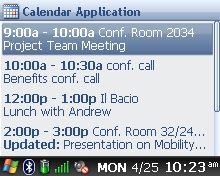
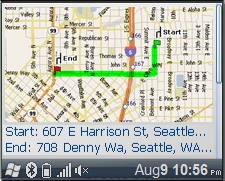
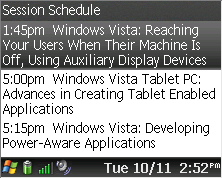
SideShow devices support a number of scenarios out of the box. This may include e-mail, calendar (Figure 6), and map (Figure 7) scenarios, but details have yet to be announced. There are great opportunities for third-party developers to add similar functionality to their own applications. The example here is a simple session scheduler application for a conference such as PDC, that can send session schedules to SideShow displays. The client application (Figure 8) is a standard Windows application. The only thing noteworthy about it is that it communicates with SideShow devices through the SideShow API.
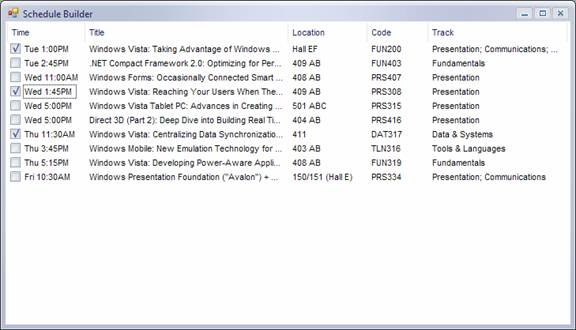
This sample application (which will be made available by Microsoft. Check CoDe Magazine online for information on availability) creates an in-memory SDF formatted string similar to the following:
<?xml version="1.0" encoding="utf-8" ?>
<body>
  <menu title="Session Schedule" id="1">
    <item target="44115416" menuid="2">1:45pm
Windows Vista: Reaching Your Users When Their
Machine Is Off, Using Auxiliary Display
Devices</item>
    <item target="61494432" menuid="2">5:00pm
Windows Vista Tablet PC: Advances in Creating
Tablet Enabled Applications</item>
    <item target="6480969" menuid="2">5:15pm
Windows Vista: Developing Power-Aware
Applications</item>
  </menu>
</body>
Currently, this SFD string is sent to the device using the COM-based API. For managed (.NET) developers, this may sound a little scary, but in reality, it is pretty easy to wrap things in managed code. Microsoft is aware of the importance of managed code support and will provide managed samples or a managed API in the Windows Vista timeframe. The resulting display on the SideShow device can be seen in Figure 9.
Note that it is entirely conceivable and even likely, that a single PC will have access to more than one SideShow device.
Conclusion
Microsoft SideShow is a very exciting technology, enabling developers to implement scenarios and allowing users access to PCs in ways that were previously inconceivable or simply cost prohibitive. Actual aux displays are currently hard to come by (a fact that will change by or before Windows Vista ships), but developers can already start targeting this new platform using the Windows Vista SDK and the included emulators.
Markus Egger
SideShow devices can be built into computers, or they can be external for applications such as digital picture frames or remote controls.
