


In the last issue, I introduced you to the basics of incorporating SQL Server Reporting Services into your ASP.NET MVC applications. In this issue, I’ll finish the series by illustrating how we can transfer data between the ASP.NET MVC context and the SSRS report context. In addition, I will also cover deployment issues such as authentication.
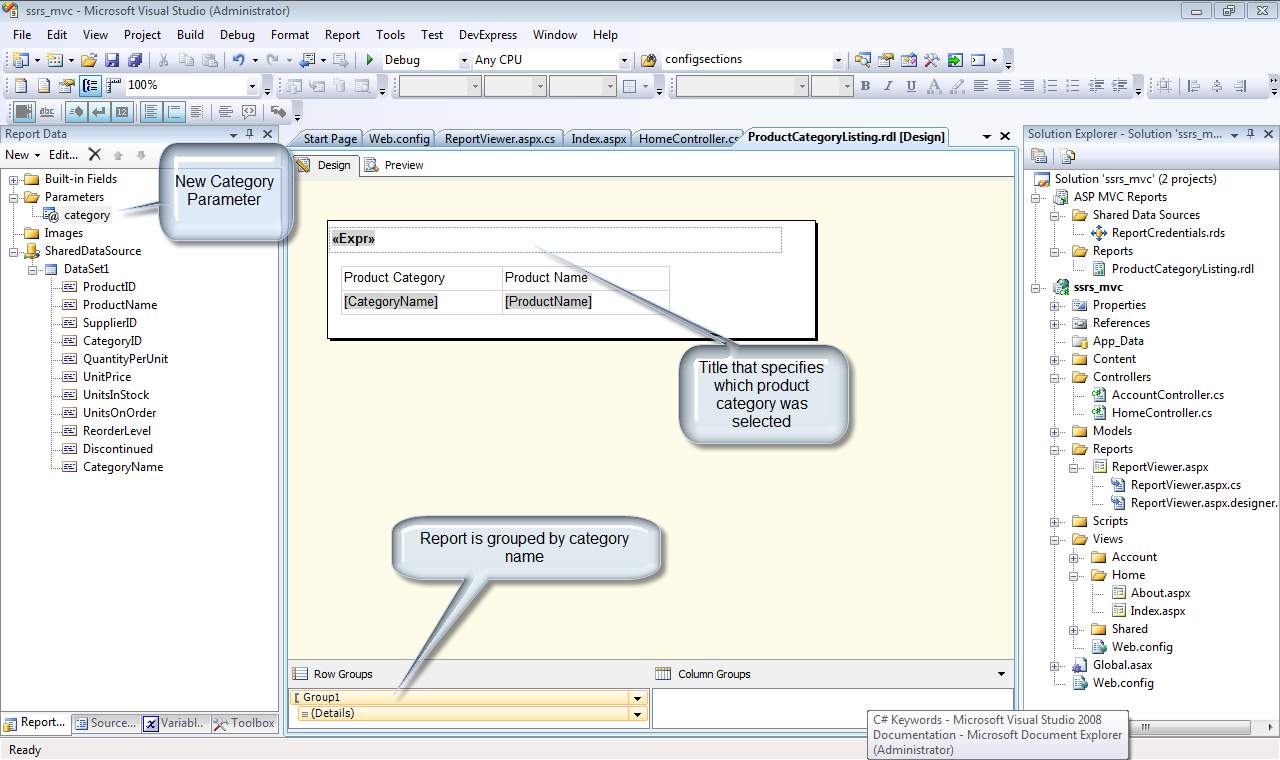
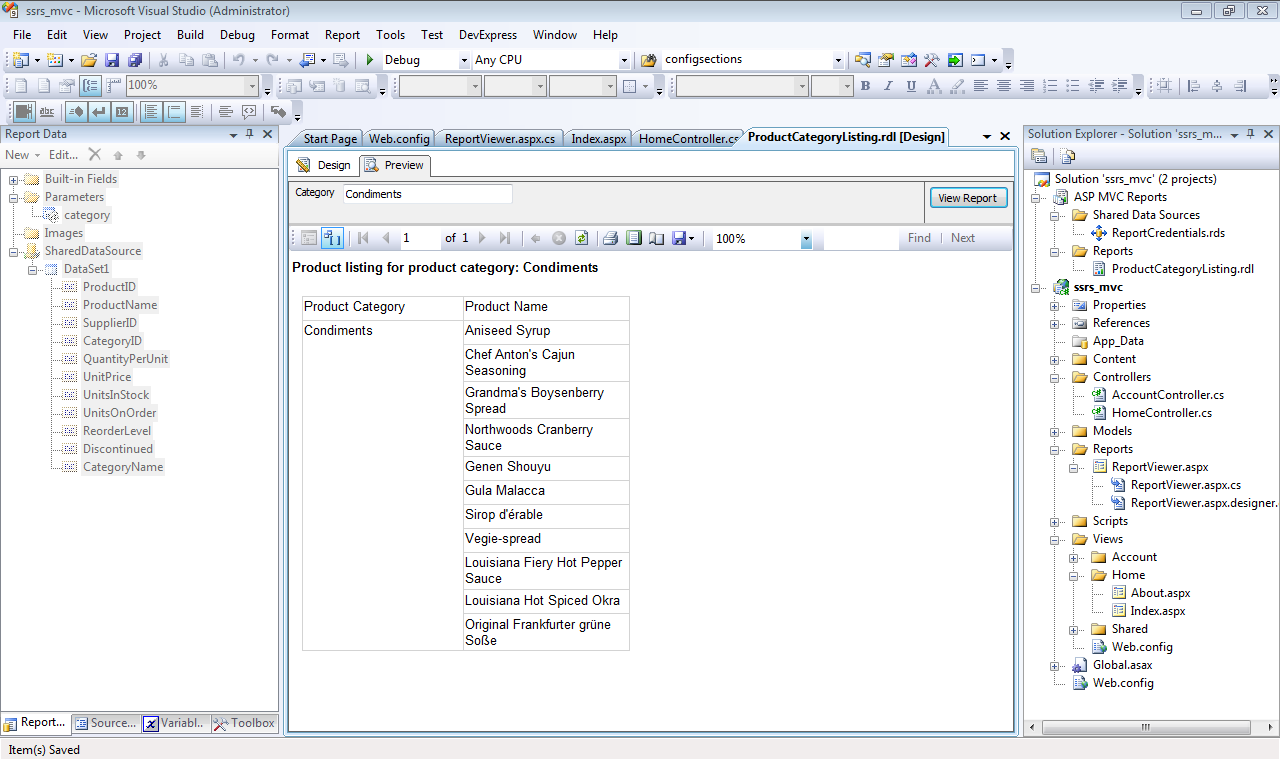
To illustrate these additional concepts, I will use our trusty old friend, the Northwind database. In particular, the report will leverage the Alphabetical List of Products view. Figure 1 illustrates the design time view of our report. The report has one parameter - category. Ultimately, this parameter will be supplied by the ASP.NET MVC application. Figure 2 illustrates the report in preview mode, listing products in the condiment category. In part 1 of this article I covered how to build and deploy reports to the report server. If you need to primer on those concepts, please consult that previous article.
Passing Data Between Contexts
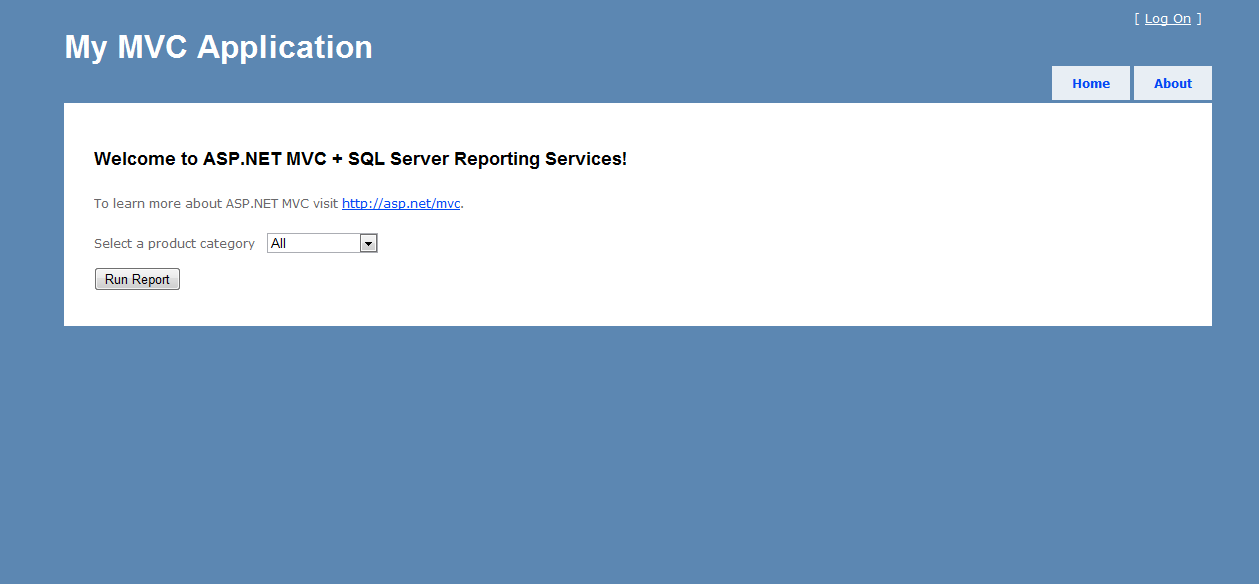
Listing 1 illustrates the controller method that launches the product listing report. Figure 3 illustrates the ASP.NET MVC page that invokes the ProductListingReport action. The key to passing data between contexts lies in the Session variable. The code uses a hash to keep track of report variables and their respective values. That hash is stored in the Session[“reportParameters”] variable. In part 1 of this article, the process was very specific in regards to the generated report. In fact, the Web Form that hosts the report viewer control could run any report. In other words, the report viewer controller only needs to know the report server and the report name. Accordingly, the report server and report name details will be passed to the report viewer control. With these examples we very easily achieve reusability. The last line of code re-directs the application to the report viewer aspx page. Listing 2 illustrates how the report viewer acts on these passed values.
In Listing 2, there are four basic operations:
- Report server specification
- Report name specification
- Security credentials specification
- Report parameter setting
You may be wondering where the report server and security credential information is stored. Because the report server and security credentials are not specific to any one report, that data should not be specified in a controller. Rather, these data points belong as part of the application configuration. In the case of an ASP.NET application, those configuration items are stored in the web.config file. The following configuration items supply the needed data:
<appSettings>
 <add key="ReportServerURL"
    value="http://host/reportserver" />
 <add key ="ReportServerDomain" value="Domain"/>
 <add key ="ReportServerUser" value="User"/>
 <add key="ReportServerPassword"
    value="Password"/>
</appSettings>
The domain, user and password data listed is for illustration purposes only. In a real production scenario, the report server will exist on a separate server that has its own authentication requirements. In order gain access to and to run those reports, authentication credentials must be passed to the report viewer.
Generating the Report
Because the ASP.NET MVC app will supply the necessary parameter values, there is no need to make parameters accessible or visible within the report. Figure 4 illustrates the report as generated by the ASP.NET MVC application. The following snippet shows the SQL code used by the report. The code incorporates the @category parameter. That is how the results are filtered.
SELECT *
   FROM
[Northwind].[dbo].[Alphabetical list of products]
  where CategoryName like @category
Conclusion
The combination of ASP.NET MVC and SQL Server Reporting Services (SSRS) provide a framework for robust applications. In this two-part series, you have seen how easy it is to extend your ASP.NET MVC applications with SSRS. With the approach presented here, you can easily achieve reusability, thereby using a common set of application components that are not specific to any one report and/or report server. I hope you find the information presented over these past two issues to be useful in your application development efforts. Until next time - happy coding!
Listing 1: Controller method to launch report
 [HttpPost]
public ActionResult ProductListingReport(FormCollection form)
{
  var reportParameters =
    new Dictionary<string, string>();

if (form["Category"] == "All")
   form["Category"] = "%";

   reportParameters.Add("category",
      form["Category"]);

Session["reportParameters"] =
   reportParameters;
Session["reportPath"] =
   "/ASPMVCReports/ProductCategoryListing";
return
   Redirect("../Reports/ReportViewer.aspx");
}
Listing 2: Page_Load code for ReportViewer.aspx page
protected void Page_Load(object sender, EventArgs e)
{
  if (!Page.IsPostBack)
  {

    //Specify the report server
    ReportViewer1.
      ServerReport.
      ReportServerUrl =
      new Uri(WebConfigurationManager.
      AppSettings["ReportServerURL"]);

    //Specify the report name
    ReportViewer1.
      ServerReport.
      ReportPath = Session["reportPath"].ToString();

    //Specify the server credentials
    ReportViewer1.
      ServerReport.
      ReportServerCredentials =
      new CustomReportCredentials
       (
         WebConfigurationManager.
          AppSettings["ReportServerUser"],
         WebConfigurationManager.
          AppSettings["ReportServerPassword"],
         WebConfigurationManager.
          AppSettings["ReportServerDomain"]
       );
                /*
                 * With the report specified, hydrate the report
                 * parameters based on the values in the
                 * reportParameters hash.
                 */
    var reportParameters = (Dictionary<string,
      string>)Session["reportParameters"];

    foreach (var item in reportParameters)
       {
         ReportViewer1.
           ServerReport.
           SetParameters(
             new List<ReportParameter>()
              {
                new ReportParameter
                  (item.Key, item.Value)
              });
        }
            }
}
