


Microsoft® Silverlight™ Streaming by Windows Live™ is a free streaming and application hosting service for delivering rich interactive applications (RIAs) over the Web.
In this article I’ll show you how to get started with Silverlight and how to upload your applications and rich media to the Silverlight Streaming Service.
In summer 2007, Microsoft released version 1.0 of Silverlight, a revolutionary way to build rich interactive experiences on the Web. Silverlight is a cross-platform, cross-browser plug-in that extends the browser’s Document Object Model (DOM) with vector graphics and multimedia features. Based on XML Application Mark-up Language (XAML), the same technique used in the Windows Presentation Foundation (WPF), Silverlight can be scripted with JavaScript and can work within AJAX-enabled Web pages.
It’s just as easy to deliver Silverlight experiences from PHP sites on Apache/Linux as it is from ASP.NET sites on a Windows Server.
Silverlight provides a consistent user experience with Firefox and Safari on the Mac and Firefox and Internet Explorer on Windows. Even Linux users can run Silverlight using Novel’s open-source Moonlight code.
In fact, you’re not locked into the Microsoft platform at all-it’s just as easy to deliver Silverlight experiences from PHP sites on Apache/Linux as it is from ASP.NET sites on a Windows Server.
Hello World in Silverlight
You need to install the Silverlight 1.0 runtime for your browser. The first time you visit a Silverlight enabled site like http://www.microsoft.com/silverlight, you'll be directed to an installation process. The runtime is surprisingly small (less than 2 MB) and is quick and painless to install.
I’ll start with a simple Silverlight “Hello World” demonstration.
Using XAML, define a Canvas that includes a TextBlock with the “Hello World” text and save this file as Hello.xaml (Listing 1).
Create an HTML page to host the Silverlight control; call it Default.html (Listing 2).
You must also provide two JavaScript files. Silverlight.js is part of the Silverlight SDK and CreateSilverlight.js is shown in Listing 3. CreateSilverlight is the code responsible for instantiating the Silverlight control with your XAML.
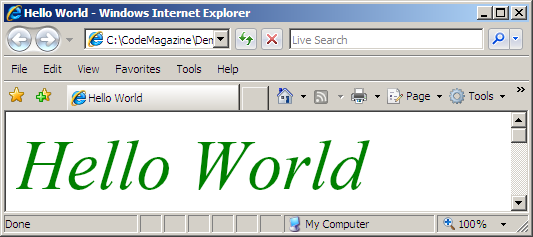
You should now have four files: default.htm, Hello.xaml, CreateSilverlight.js, and Silverlight.js. Launching default.htm in a browser runs the application (Figure 1).
Silverlight Streaming
Microsoft has a software and service strategy and this is where the Silverlight Streaming by Windows Live service comes in-developers can deploy their Silverlight applications and rich media “in the cloud,” leveraging Microsoft’s high performance, high availability content distribution network.
While the product is in pre-release, storage and delivery is free up to 4 GB, with outbound streaming up to 700 Kbps. After release, developers will have continued use of the service with up to 1 million minutes of free video streaming at 700 Kpbs per site per month. Unlimited streaming will be available for free with advertising or, for a nominal fee, without advertising.
You can sign up for a free Silverlight streaming account at http://silverlight.live.com. You need a Windows Live ID to get started or you can create a new Windows Live ID for free.
Uploading
Now move your Hello World sample to the Silverlight Streaming Service.
First create a manifest.xml file, which describes the constituent parts of your Silverlight Streaming application:
<SilverlightApp>
        <version>1.0</version>
        <source>Hello.xaml</source>
</SilverlightApp>
For this simple example, you no longer need the default.html or JavaScript files. You just need to create a Hello.zip file that contains manifest.xml and Hello.xaml.
On Windows, multiple select the files, right-click and select Send To Compressed (zipped) folder-you can use any of the popular ZIP compression programs, but you need to make sure that the manifest file appears in the top-level root of the zip file-zipping the parent directory is a common error and will not work!
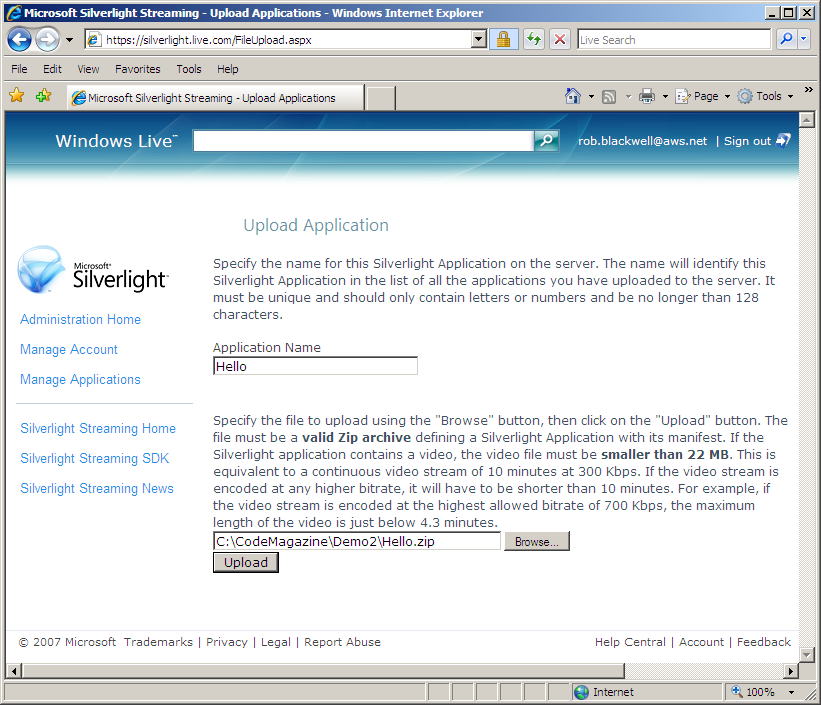
Log in to Silverlight Streaming at http://silverlight.live.com using your Windows Live ID and click Manage Applications. Select Upload a Silverlight Application, specify a name (Hello) and browse for your Hello.zip file. Click Upload (Figure 2).
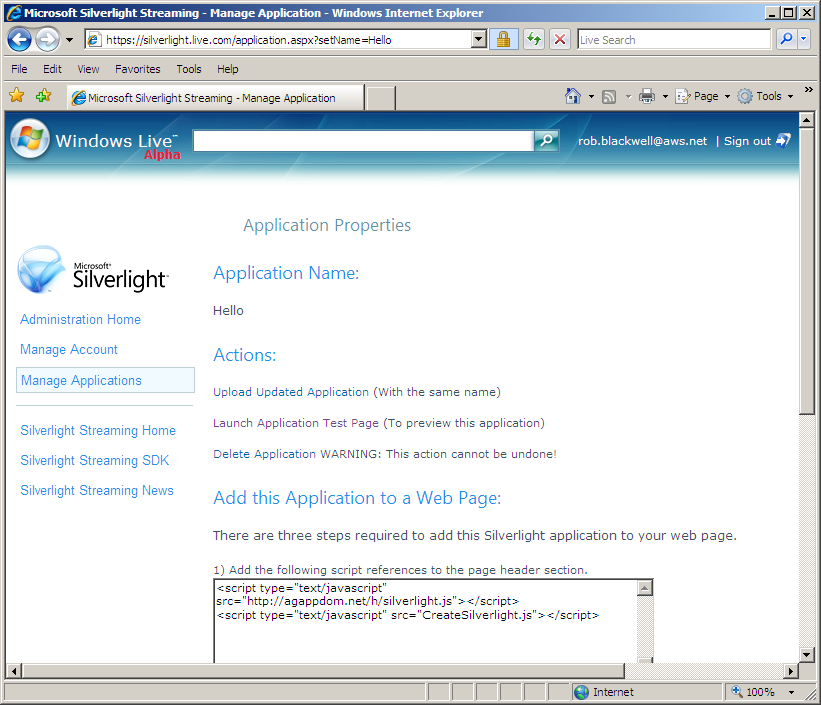
Depending on your connection speed, this may take a while. If all goes well, you will be presented with a page that allows you to test your application. You will also be given sample HTML and JavaScript that you can cut and paste into your own Web site to run the application (Figure 3).
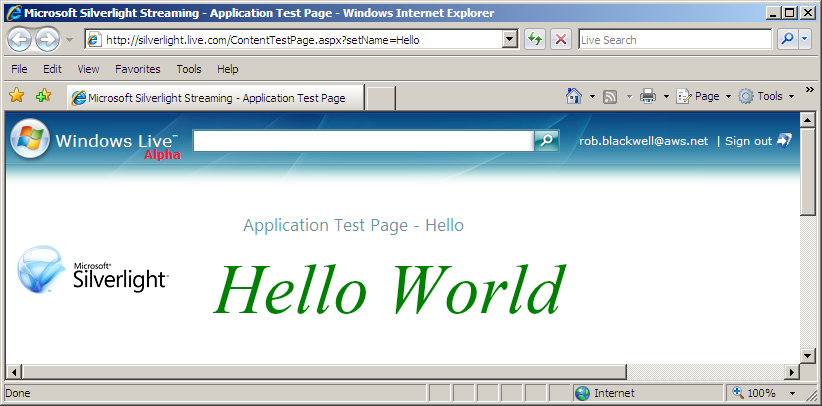
Click Launch Application Test Page (Figure 4).
You can also provide a link for others to run your application using an IFRAME. The URL is of the form:
<a href="http://silverlight.services.live.com/";>http://silverlight.services.live.com/<;/a>
invoke/accountId/appName/iframe.html
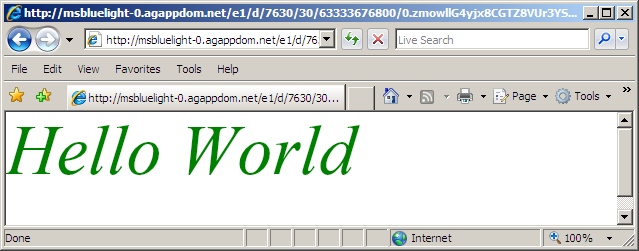
Where accountId is your Silverlight Streaming numeric account identifier and appName is the name of your application (in this case Hello). You can find out your accountId by clicking the Manage Account link. The IFRAME invoker redirects you to an obfuscated URL as in Figure 5.
Expression Encoder
“Hello World” is a start, but what happened to the rich multimedia I was talking about? One of the easiest ways to get started with Silverlight video and audio is using Expression Encoder.
One of the easiest ways to get started with Silverlight video and audio is using Expression Encoder.
You can download a Trial edition of Expression Encoder from http://www.microsoft.com/expression. It’s simple and intuitive to use, but there is also a short video tutorial available.
You can edit and encode digital video and audio, add leaders, trailers, and watermarks and control the quality and encoding of the output.
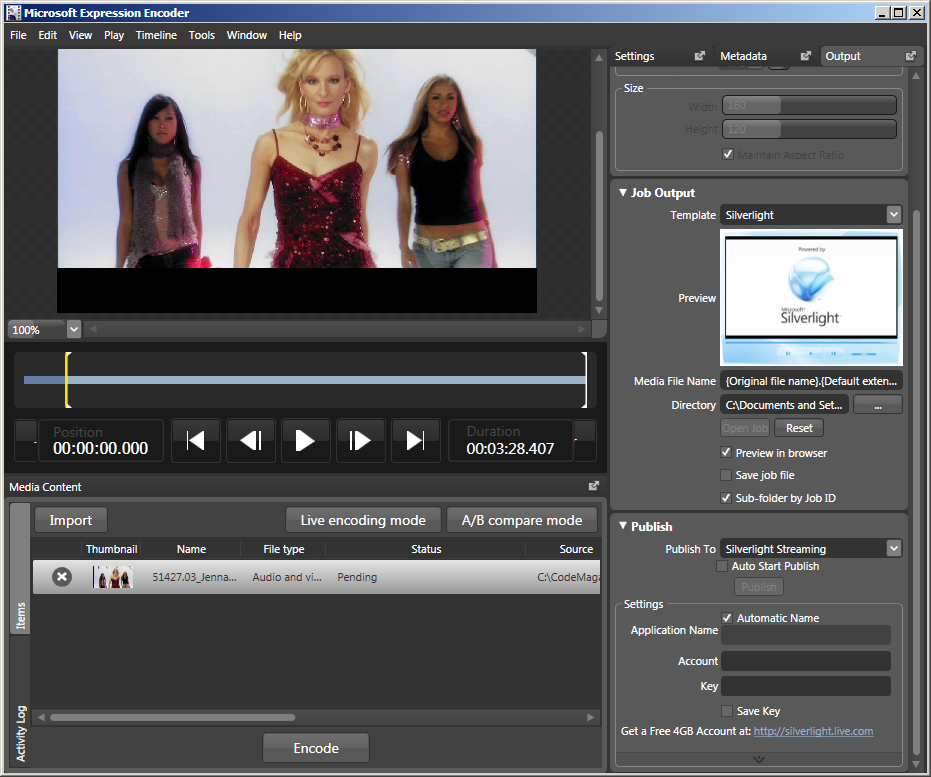
There are a number of predefined Silverlight media player templates in the Job Output section of the Output tab and these will create for you a full Silverlight wrapper without any coding.
If you download and install the Silverlight Streaming Publishing Plug-In for Expression Encoder, you can publish a job output from Microsoft Expression Encoder directly to Silverlight Streaming using the public API. Just provide your accountID and Account Key and press Publish (Figure 6).
Expression Blend 2
If you are serious about designing professional, rich user experiences with Silverlight, you probably want to use Expression Blend 2. This is a full-featured Silverlight XAML authoring tool for designers.
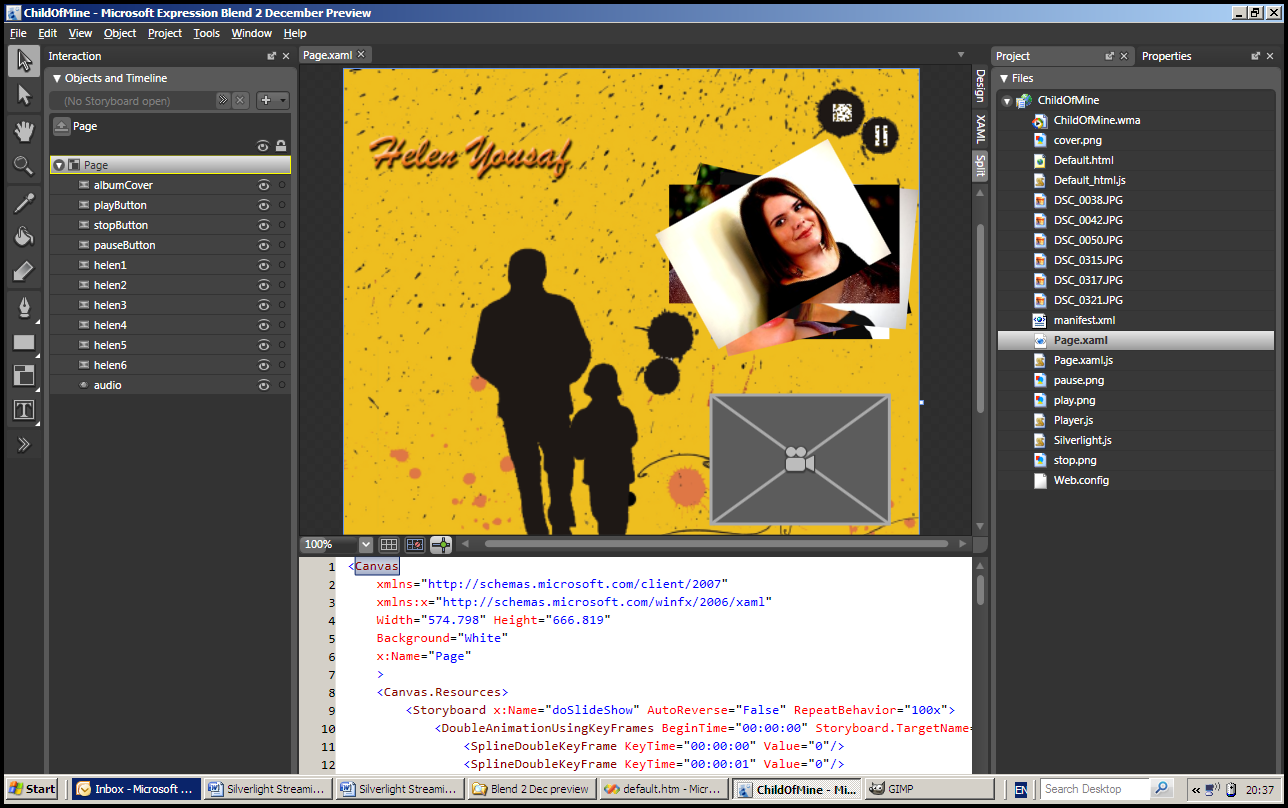
Using Expression Blend 2 December Preview, you can create a new Silverlight 1.0 Site project, and then interact with the design surface to lay out your graphic design. In Split view, you can see your design work and the corresponding XAML (Figure 7).
You can also open the same site in Visual Studio, allowing developers to attach functionality and enabling efficient designer/developer interaction.
Notes
You can upload and manage your Silverlight applications programmatically using a simple REST API.
You can use Expression Encoder with a command line interface allowing batch mode operation and on-the-fly trans-coding.
You can split your application so that the XAML is delivered from your own site, but pulls multimedia content from the Streaming Service. This can be a useful technique to allow more flexible scripting and avoid cross-domain issues.
The application in this article uses Silverlight 1.0, but the streaming service will also work with the Silverlight 1.1 pre-release and the forthcoming Silverlight 2.0. This opens the possibility of programming in .NET as well as JavaScript.
Conclusion
Video-enabled Web applications have traditionally been expensive and difficult to host because of their high bandwidth demands and requirements for streaming and edge-cached networks.
Silverlight is more than a Flash replacement-it’s changing the way we build rich interactive applications on the Web. Just take a look around to see a wide range of applications including video, games, and advanced data visualization tools.
If you are serious about designing rich user experiences with Silverlight, you probably want to use Expression Blend 2.
The Silverlight Streaming service is a great way to distribute your Silverlight applications for free using Microsoft’s high performance content distribution network powered by Windows Live.
Listing 1: Hello.xaml.
<Canvas xmlns="<a href="http://schemas.microsoft.com/client/2007";>http://schemas.microsoft.com/client/2007<;/a>" xmlns:x="<a href="http://schemas.microsoft.com/winfx/2006/xaml";>http://schemas.microsoft.com/winfx/2006/xaml<;/a>">
<TextBlock FontFamily="Times New Roman"
FontSize="70"
FontStyle="Italic"
Foreground="Green"
Text="Hello World" />
</Canvas>
Listing 2: Default.htm.
<!DOCTYPE html PUBLIC
"-//W3C//DTD XHTML 1.0 Transitional//EN"
"<a href="http://www.w3.org/TR/xhtml1/DTD/xhtml1-transitional.dtd";>http://www.w3.org/TR/xhtml1/DTD/xhtml1-transitional.dtd<;/a>">
<html xmlns="<a href="http://www.w3.org/1999/xhtml";>http://www.w3.org/1999/xhtml<;/a>" xml:lang="en">
<head>
<title>Hello World</title>
<script type="text/javascript" src="Silverlight.js"></script>
<script type="text/javascript" src="CreateSilverlight.js"></script>
</head>
<body>
<div id="SilverlightPlugInHost">
<script type="text/javascript">
createSilverlight();
</script>
</div>
</body>
</html>
Listing 3: CreateSilverlight.js.
function createSilverlight()
{
        Silverlight.createObjectEx({
                source: 'Hello.xaml',
                parentElement: document.getElementById('SilverlightPlugInHost'),
                id: 'SilverlightPlugIn',
                properties: {
                        width: '400',
                        height: '400',
                        background:'#ffffff',
            isWindowless: 'false',
                        version: '1.0'
                },
                events: {
                    onError: null,
                        onLoad: null
                },
                context: null
        });
}
