


This is an exciting time for CoDe Magazine and EPS Software Corp.! For the last year or so, we have been building a brand new, .NET 3.0-based digital publishing platform called “Xiine”. I am happy to announce that we’ve now shipped Xiine!
What Exactly Is Xiine?
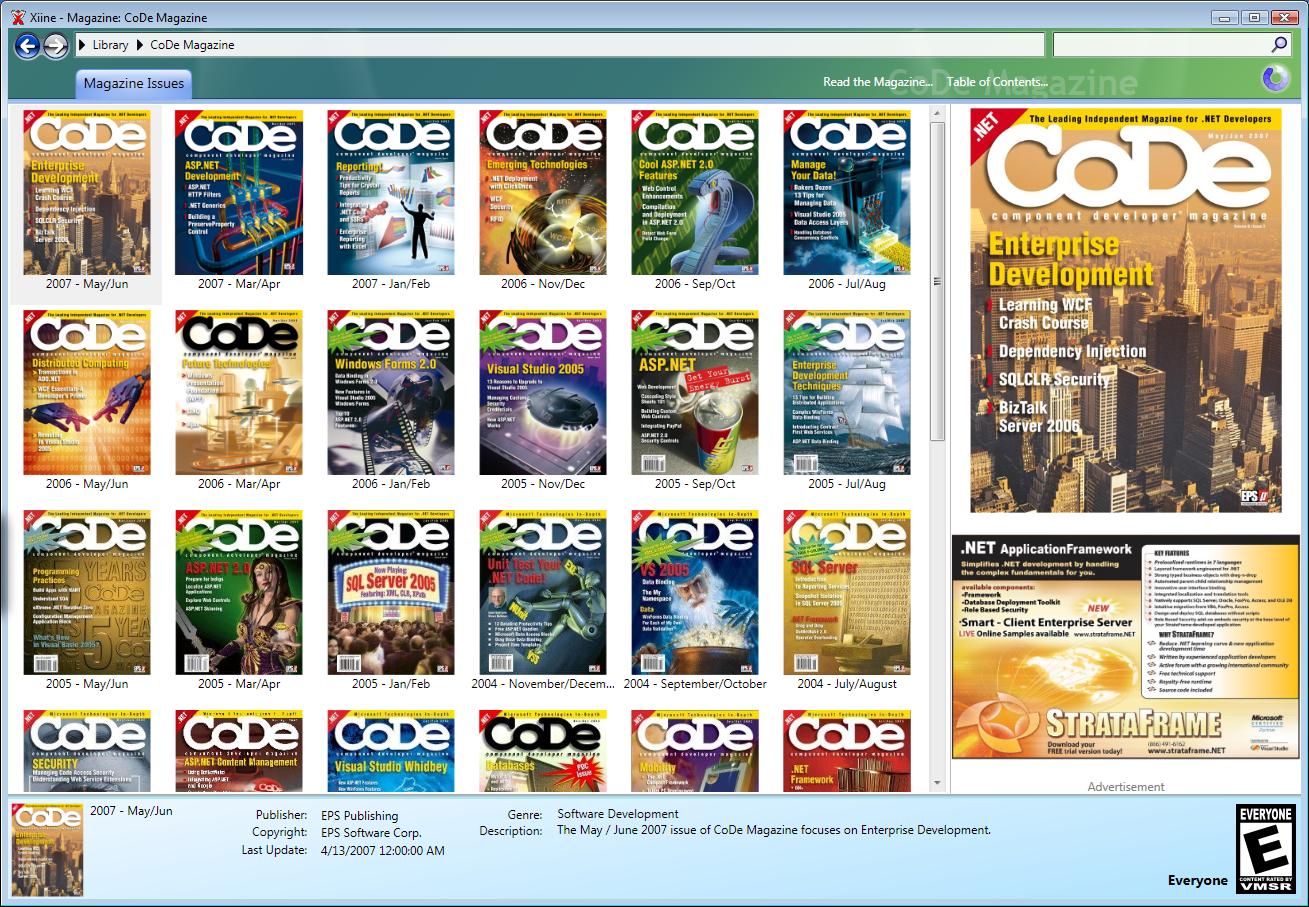
The Xiine platform allows publishers (not just CoDe Magazine) as well as the community to publish content digitally. From a reader’s point of view, Xiine allows readers to read digital content in a much better format thanks to the magic of WPF! Xiine also provides the ability to manage your entire digital library, so, for example, you can use Xiine to organize your issues of CoDe Magazine and CoDe Focus, as well as books and other content. Using Xiine and your issue of CoDe Magazine you can read the issue on your office computer, annotate it, discuss it with the community, and then go home and open your Xiine library (Figure 1) on your home computer, and your issue of the magazine, with all your annotations, will be right there! And we’ve madeXiine an open platform and we will invite other publishers as well as the .NET development community to partake in Xiine. We hope you can read your favorite books and other magazines on Xiine soon!
Where Do I Get Xiine?
You can download the free Xiine client either from www.code-magazine.com, or from www.xiine.com. It is less than one megabyte in size, so it downloads quicker than a large image. ClickOnce makes the installation completely painless. If you have a CoDe Magazine subscription (or ever had one in the past), just sign into Xiine with your standard CoDe account and you can read issues you’ve subscribed to. Xiine.com also has several links to additional free content (including CoDe Focus magazines).
A Better Reading Experience
Xiine has a ton of cool features, but the most important one is readability. It solves the problem that digital layout lags far behind print layout. Compare the layout of this printed article (Figure 2) and its HTML counterpart (Figure 3):
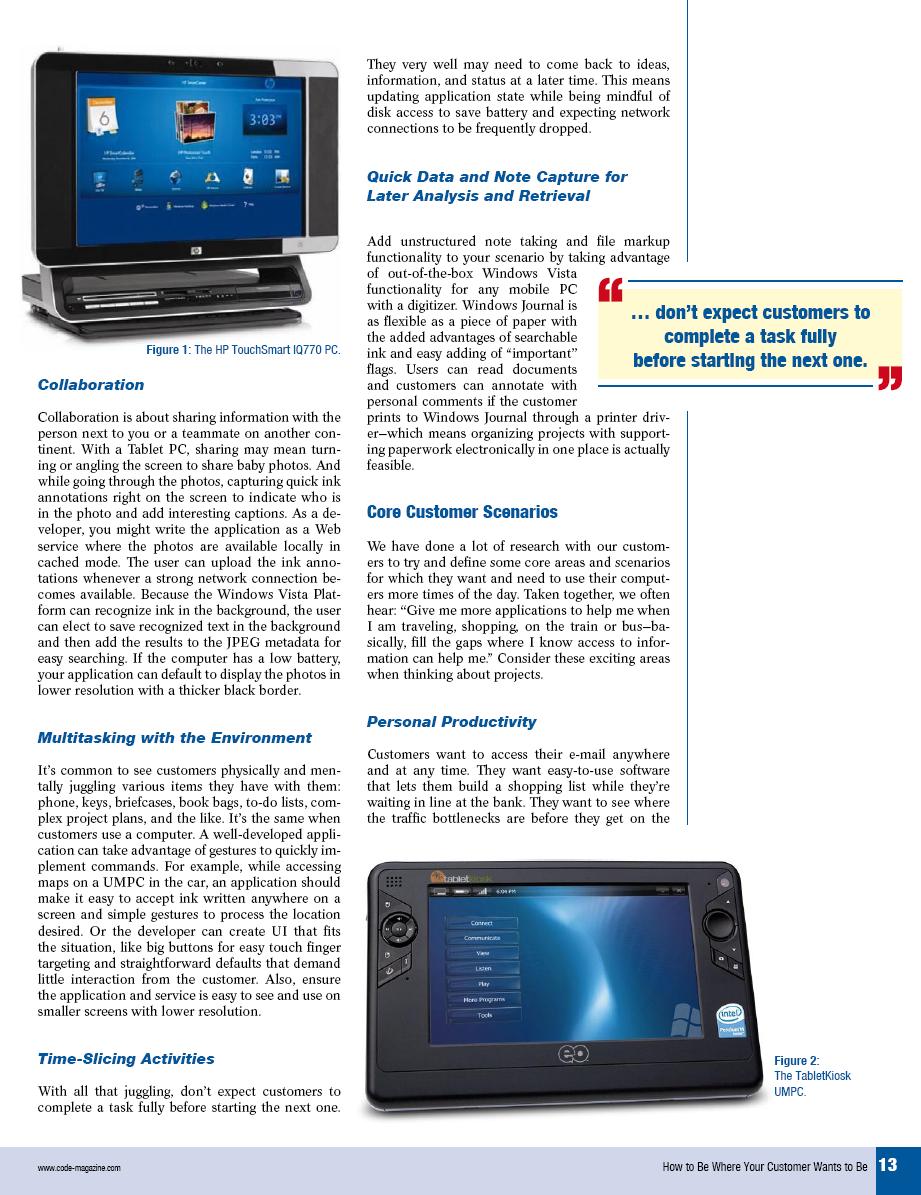
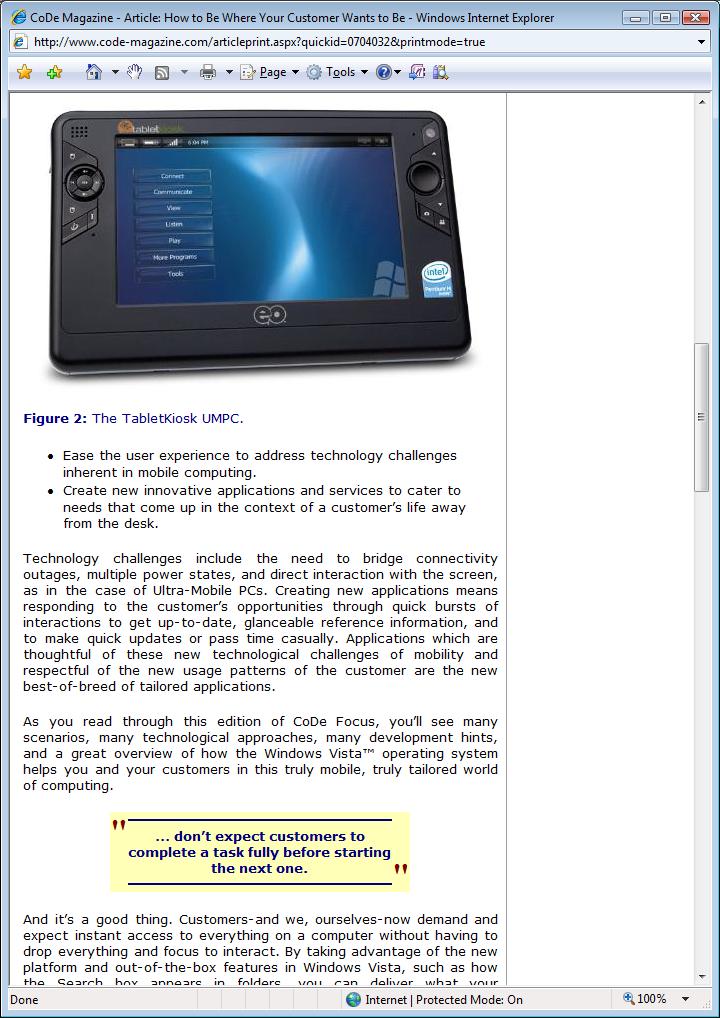
You can see the layout differences between the two documents. HTML simply does not provide good layout options, nor does it provide high quality text rendering. It also doesn’t take advantage of digital opportunities such as the ability to change the font size and still achieve a professional layout. While a PDF provides the ability to mimic the print version, it fails to customize (much) to the reader’s preference. Plus, scrolling makes for an awful reading experience in PDF, especially with multi-column layouts.
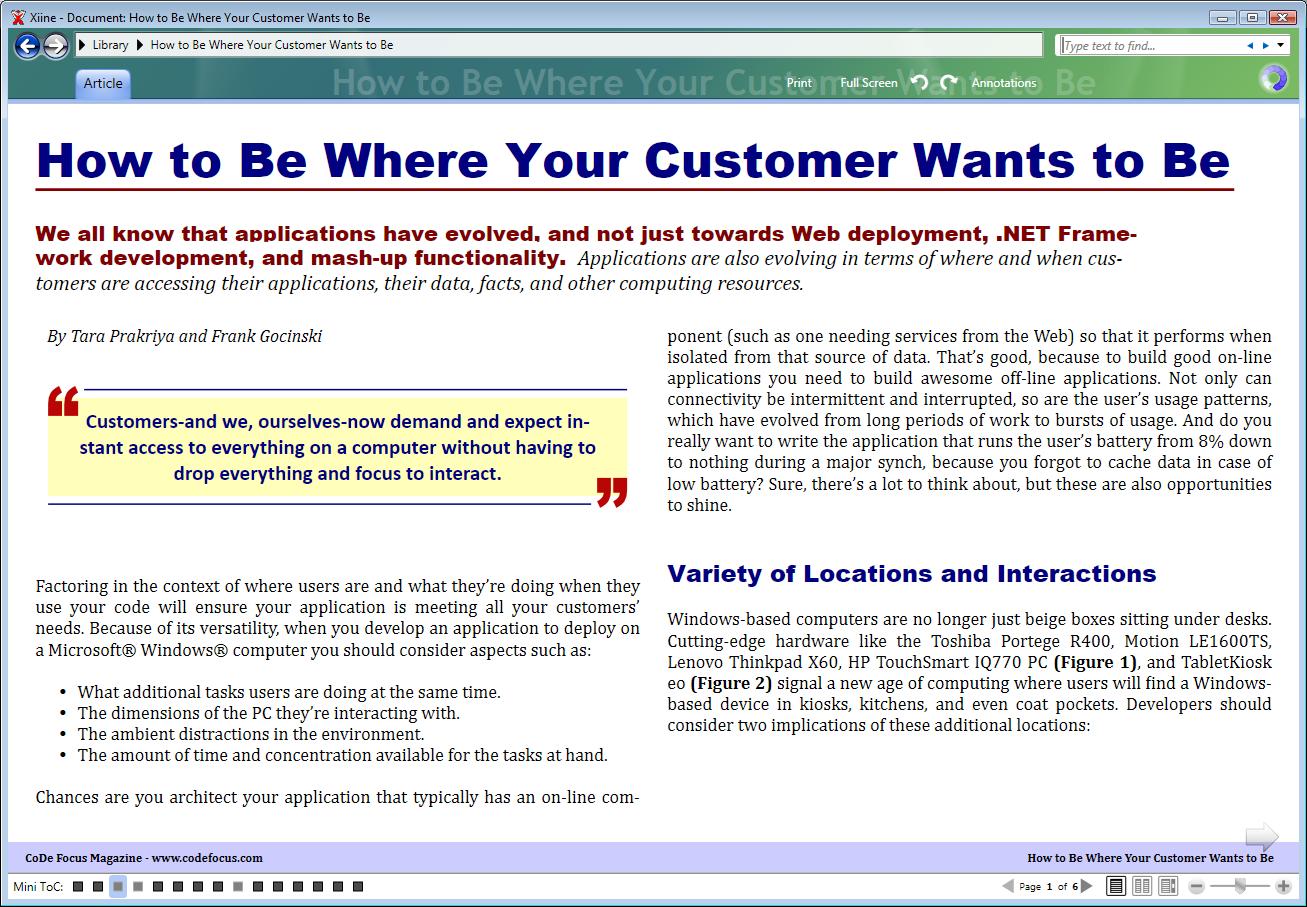
Xiine does many things different. Figure 4 shows same article in Xiine.
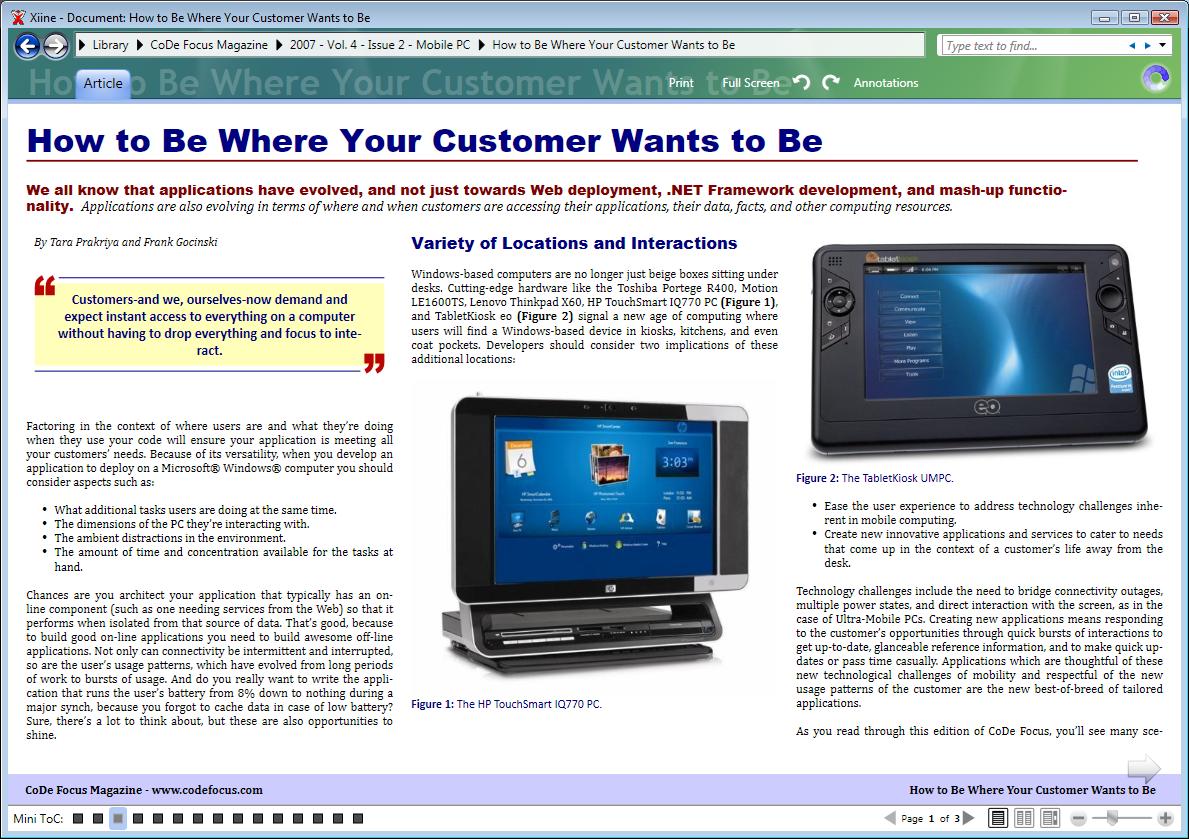
Note that the layout quality is significantly improved over HTML. Xiine features multi-column layout, for instance, and it does so without the need of a scroll bar. (Xiine suppots scrolling optionally, but most people opt for a page-by-page view with single-key page flipping). Xiine also supports customization. For instance, if you would rather read in a slightly larger font, you can simply make the adjustment (which Xiine remembers for future reference), yet you still see a more robust layout (Figure 5).
But Wait, There’s More!
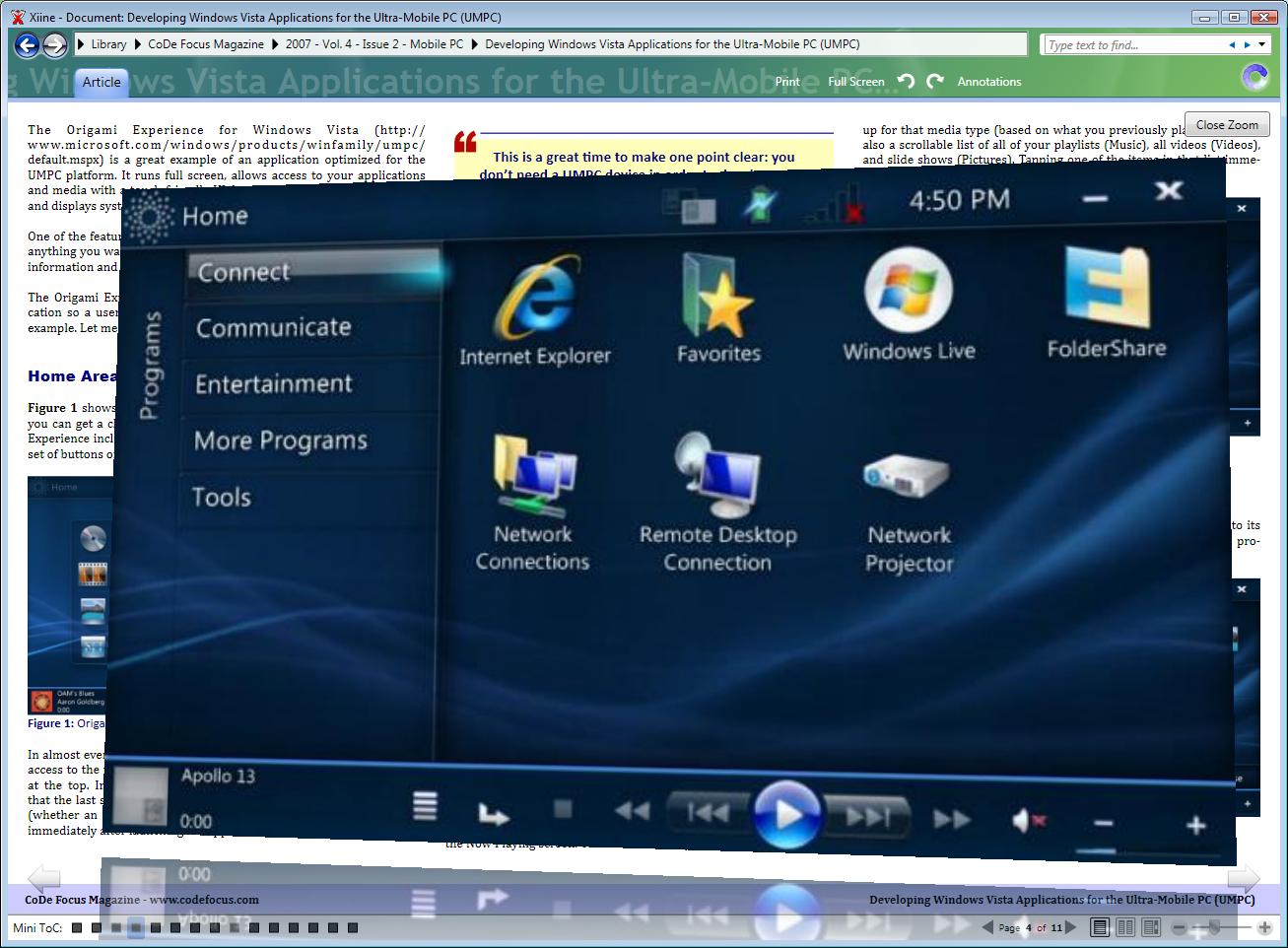
Xiine can manage an entire library of content, integrate with community discussions,and publish your own content. One cool feature that will interest CoDe Magazine readers more than readers of non-technical publications is Xiine’s ability to create content with advanced media elements such as videos, podcasts, and 3D. The CoDe Magazine content in Xiine for instance, uses an interactive 3D image zoom feature. Click on any image in an article to zoom the image into a 3D view that floats above the article. But (also shown in Figure 6), Xiine can use the power of WPF to interact with the image with the mouse, to do things such as zoom and rotation.
Another interesting feature is the concept of “Smart Text”. Xiine does not just use default WPF features to display text, but for CoDe Magazine readers (for instance) we added a significant amount of added functionality. Consider the code snippet in Figure 7.
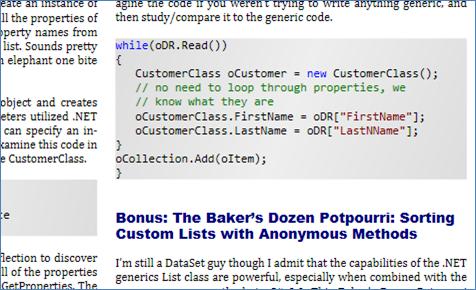
This snippet appears in a nicely syntax colored format. But it doesn’t start out that way. It is simply a black and white paragraph of text, but Xiine will recognize it as source code (C# in this case) and apply appropriate syntax coloring and formatting. Xiine can apply this formatting even for code snippets that are not complete and thus not necessarily valid code. The example in Figure 7, for instance, is missing an open curly-bracket, which is invalid C#, although it serves the purpose of communicating an idea to the reader just fine.
The Technical Aspects
Since CoDe Magazine readers are generally .NET developers, you are probably interested in the technology behind Xiine. EPS based Xiine entirely on .NET 3.0 and wrote it in C#. In Particular, Xiine uses WPF and WCF extensively and Xiine uses ClickOnce (and the ClickOnce API) for deployment. In a future release of Xiine we'll add Silverlight-based components to compliment the current technology
The server component also runs .NET 3.o and Xiine communicaties with it using WCF, mostly over the TCP channel. The Xiine servers are a rather large-scale effort currently based on Windows Server 2003 that EPS will move to Windows Vista Server as soon as it ships to take advantage of its WCF-friendly architecture. The Xiine servers host the entire Xiine content library as well as user's libraries and annotations. Plus, there are the community components of course.
In general, other publishers (and communities) will simply use the Xiine infrastructure, but we'll also have custom arrangements where we'll license Xiine technology and deploy it in other configurations.
We'll make more information about Xiine (technical and otherwise) within Xiine itself as well as on our blogs (such as my blog at www.MarkusEgger.com/Blog).
Will CoDe Magazine Go Digital Only?
Absolutely not! We’ll continue to print CoDe Magazine. In fact, we will push the print aspect a lot more in the future. You may have noticed that we’ve produced more CoDe Focus issues for instance. We plan to continue that effort. Print is an important aspect for us as a publisher, but we also want to have the most compelling digital experience to compliment print, and that is exactly what we are doing with Xiine! We hope you’ll like it. (And I am sure you will send us feedback on it. Send it to info@xiine.com.).
